
What Is the Best Office Headset in 2026?
Choosing the Best Office Headset in 2026 depends on how and where you work. A headset that sounds clear in a quiet home office may struggle beside a busy reception desk. Comfort matters just as much. After several hours, a tight headband or warm ear cushions can become hard to ignore.
This guide compares the features that shape everyday use: microphone clarity, background-noise handling, wearing comfort, battery life, connection options, and call controls. It also considers wired and wireless models, since reliable charging and Bluetooth stability can matter as much as sound quality. Small details matter. A mute button that is easy to reach can save an awkward moment on a video call.
There is no single winner for every desk. Individual fit varies, and manufacturer specifications do not always reflect real-world call quality. That is worth keeping in mind. Rather than treating one score as definitive, the comparisons focus on practical trade-offs and explain which users may benefit from each design. Prices and software features can change, so check current product details before buying. Even a careful comparison has limits: a short review cannot reproduce every noisy office, long shift, or personal fit preference. The aim is to make those limits visible and help you choose with clearer expectations.
What Defines an Office Headset and How It Works
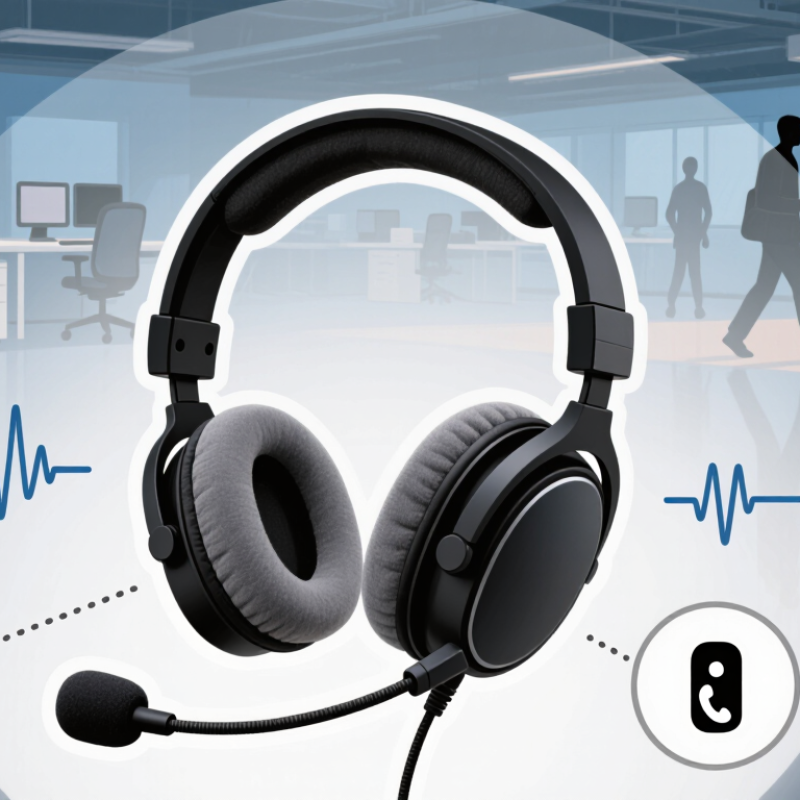
An office headset is a two-way audio device: its earphones deliver sound, while a microphone captures the wearer’s voice. Wired models carry audio through a cable; wireless models transmit it over a short-range radio connection. Many include noise-reduction features. Active noise cancellation uses microphones and signal processing to reduce steady background sounds, though nearby speech may remain audible. The fit matters. A poor seal can make voices sound thin and prompt users to raise playback levels.
The 2023 Work Trend Index reported that 68% of surveyed workers lacked enough uninterrupted focus time. That finding does not prove headsets improve concentration, but it shows why clearer calls and fewer distractions matter. NIOSH recommends limiting occupational noise exposure to 85 dBA over eight hours; this is workplace guidance, not a personal headset-volume guarantee. In practice, test call clarity with a colleague, check whether the microphone picks up keyboard clicks, and keep volume comfortable. A headset can also feel isolating. That trade-off is easy to miss, and no single design suits every desk or listening habit.
Key Features to Evaluate in an Office Headset
What Is the Best Office Headset in 2026?
Key Features to Evaluate in an Office Headset
A good office headset should make voices clear without making your ears ache by midafternoon. Fit matters. Look for soft, replaceable cushions and an adjustable headband that stays comfortable during long calls. If possible, wear it for at least twenty minutes before deciding. A quick try-on can miss pressure that builds over time.
Microphone quality is just as important as speaker sound. A boom mic with effective noise reduction can help your voice stand out beside keyboard clicks or nearby conversation. Test the mute button, too. It should be easy to find by touch, and its status should be obvious. Noise cancellation can reduce steady background hum, but it will not erase every voice in a busy room. Expectations matter.
Check how the headset connects to your computer and phone, and confirm it works with your meeting software. Wireless freedom is useful, but battery life should cover a full workday, with some reserve. A wired option can be reassuring. I would not choose by feature count alone; it is easy to overvalue impressive specifications and overlook comfort. Small details decide. Test call clarity in your actual workspace, since a quiet showroom cannot predict the sound of your desk.
What Is the Best Office Headset in 2026? — Key Features to Evaluate in an Office Headset
| Evaluation Dimension | What to Check | Practical Target | Why It Matters |
|---|---|---|---|
| Microphone clarity | Test speech intelligibility and how well the microphone reduces keyboard, fan, and nearby conversation noise. | Speech should remain clear in a normal office; check performance with background noise, not only in a quiet room. | Callers hear the microphone signal, so strong microphone noise handling is distinct from headphones that merely reduce noise for the wearer. |
| Listening noise control | Compare passive isolation and active noise cancellation (ANC), if available. | Choose ANC for frequent travel or steady low-frequency noise; consider a transparency mode when awareness of nearby people is important. | ANC is most effective against consistent low-frequency sounds and is less effective against sudden or high-pitched sounds. |
| Comfort for long sessions | Assess headset weight, headband pressure, ear-cup fit, padding, and heat buildup over time. | Try it for at least 30 minutes if possible; fit should feel secure without painful pressure or persistent hot spots. | Comfort depends on individual fit as well as materials and weight; a brief try-on may not reveal pressure during a full workday. |
| Battery life | Check stated talk time and listening time, and whether those figures apply with ANC enabled. | For a wireless work headset, look for enough rated talk time to cover a typical workday, with charging time and quick-charge behavior also stated. | Battery life varies with call use, volume, ANC, and connection type, so compare figures measured under similar conditions. |
| Connection options | Check supported connection types, included wireless adapter (if any), Bluetooth multipoint, and wired fallback. | Confirm compatibility with the specific computer and phone; a wired USB option can be useful when charging or pairing is inconvenient. | Connection stability and available controls can differ between Bluetooth, a dedicated adapter, and a wired connection. |
| Call controls and mute | Look for accessible mute, volume, answer/end-call, and microphone controls; check whether mute status is easy to recognize. | Controls should be easy to operate by touch, and mute should have a clear visual, audible, or physical confirmation. | Easy-to-find controls can reduce mistakes during meetings, especially when switching quickly between listening and speaking. |
| Device and software compatibility | Verify operating-system support, meeting-app behavior, available drivers, and whether key functions work without companion software. | Test the headset in the actual calling apps and on the devices used for work before relying on it for meetings. | Basic audio may work across many devices, while call controls, firmware updates, or advanced settings may require specific software support. |
| Durability and serviceability | Review warranty terms, replacement ear cushions, cable or battery service options, and the sturdiness of hinges and joints. | Prefer clear warranty coverage and replaceable wear parts for a headset used daily. | Ear cushions and other parts can wear with regular use; repair and replacement options can extend useful service life. |
| Acoustic fit for the workplace | Choose between mono or stereo and open or closed designs based on the workspace and listening needs. | Mono can keep one ear available for nearby conversation; stereo or closed designs can provide more immersive listening and isolation. | The right design depends on call frequency, surroundings, and whether awareness of colleagues is necessary. |
| Value and total cost | Compare price with included accessories, warranty, replaceable parts, and any required adapter or software. | Evaluate expected daily use and support costs rather than choosing on purchase price alone. | A lower upfront price may not represent better value if essential accessories or replacement parts are difficult to obtain. |
Types of Office Headsets and Their Trade-Offs
The best office headset depends on where calls happen and how long you wear it. A wired USB model is straightforward: plug it in, and it is ready. It avoids charging and usually keeps audio steady during calls. The cable can snag on a chair or limit movement, though. Simple, not perfect.
Wireless DECT headsets often suit desk-based call work, with a dedicated connection and room to move away from the computer. Bluetooth models can pair with phones and laptops, which is useful when calls shift between devices. They may need re-pairing, and busy wireless spaces can complicate connections. Check battery life against your longest workday, not just a short test call.
Fit matters as much as connection type. Binaural headsets cover both ears and can help you focus in a noisy room, but may feel warm after several hours. A single-ear design keeps one ear open to nearby conversation, though surrounding voices can distract you. Noise-reducing microphones can soften keyboard clicks, but they do not make a crowded room silent. Try the headset during a real call if possible. A model that feels comfortable for ten minutes may pinch by mid-afternoon.
How Leading Office Headsets Compare in 2026
How leading office headsets compare in 2026 depends less on headline features than on the workday around them. Wireless models suit people moving between desks and meeting rooms, while wired options avoid battery checks and often keep setup simple. A reliable comparison should consider microphone clarity, comfort, connection stability, and controls—not just noise cancellation.
In a quiet home office, a lightweight headset with a clear boom microphone may be enough. In a shared workspace, stronger background-noise reduction can help voices sound steadier, though it cannot erase every nearby conversation. Test calls matter. Listen for clipped words, keyboard clicks, and sudden changes in volume. Small details count.
Comfort is harder to measure on a product sheet. Earpads that feel soft for ten minutes may press after two hours, especially with glasses. Battery life also depends on call volume and wireless features, so published figures are only a guide. Still, comparisons are imperfect. A headset that suits one person’s routine may feel awkward to another, and that is easy to overlook. Before choosing, check device compatibility and try the fit during a realistic stretch of meetings.
What Is the Best Office Headset in 2026?
How leading office headset types compare by advertised talk time
Talk time is the maximum manufacturer-rated figure for representative models in each category, not a category average. Actual battery life varies with use, settings, and device age. Choose a headset based on your work setup, comfort, microphone performance, and connection needs as well as battery life.
Matching a Headset to Your Work Environment
Choosing the best office headset in 2026 starts with the room, not the feature list. In an open-plan office, a well-sealed earcup and adjustable microphone can soften nearby conversations and reduce the need to raise your voice. At home, comfort may matter more during long calls, especially if you wear glasses. For shared desks, a lightweight headset that packs away easily is often more practical than a bulky model. Small details count.
The 2023 Work Trend Index, based on a survey of 31,000 people across 31 countries, found that 68% lacked enough uninterrupted focus time. That makes noise control useful, but stronger isolation is not right for every worker. You may need to hear a colleague, a doorbell, or a delivery. I’ve found that the quietest setup can feel oddly disconnected. Test the fit and microphone in your actual workspace before deciding.
Tips: Match the headset to your noisiest regular setting, not an idealized quiet room. Check whether the microphone picks up keyboard taps, and try a short call with a colleague. If you move between rooms, prioritize a stable wireless connection and simple controls. Comfort is personal; a headset that feels fine for ten minutes may press painfully after an hour.
FAQS
Its earphones deliver sound, and its microphone captures your voice. Two-way audio.
Wired models use a cable and avoid battery checks. Wireless models connect over short-range radio and can move between desks.
No. It can reduce steady background sounds, but nearby speech may remain audible. Small but important distinction.
No. A survey found many workers lacked uninterrupted focus time, but that does not prove headsets improve concentration.
Make a test call. Ask a colleague to listen for clipped words and keyboard clicks.
Try the headset during a realistic stretch of meetings. Earpads may feel soft at first, then press against glasses.
Treat it as a guide. Call volume and wireless features can affect battery life.
NIOSH recommends limiting workplace noise exposure to 85 dBA over eight hours. This is not a personal headset-volume guarantee. Keep listening comfortable.
Conclusion
Choosing the Best Office Headset in 2026 depends on how and where you work. An office headset combines speakers and a microphone to support calls, meetings, and focused listening. When comparing options, consider voice clarity, background-noise control, comfort over long sessions, battery life, connection type, and ease of use. No single feature matters equally to everyone: a lightweight design may suit all-day wear, while dependable connectivity and a clear microphone may be priorities for frequent calls.
Headsets come in wired and wireless designs, with different wearing styles and levels of noise isolation. Each offers trade-offs in mobility, simplicity, comfort, and sound control. Compare leading options by looking at how well they meet your daily needs rather than relying on specifications alone. For a shared office, prioritize clear communication and practical noise management; for a quiet home workspace, comfort and versatile connectivity may matter more. The right choice is the one that fits your routine.

Blog Tags: