
How to Choose the Best Wireless Gaming Earbuds
Table of Contents
Choosing the best Wireless Gaming Earbuds means balancing clear sound, quick response, comfort, and dependable connectivity. A low-latency USB-C dongle may matter more than a long list of advertised features, especially in fast-paced games. Bluetooth performance can vary by device, game, and connection settings, so check compatibility before buying. Small details count. A charging case that fits beside your mouse, or ear tips that stay secure during a long match, can make daily use much easier.
This guide explains how to compare latency, audio positioning, microphone quality, battery life, and fit without treating one specification as the whole story. Look for independent measurements when available, and distinguish tested results from manufacturer claims. A strong microphone should make team chat understandable, even with a keyboard clicking nearby. Comfort is personal, too; the lightest pair may still press uncomfortably after an hour. There is no perfect model for every player. Budget, platform, and game type all change the choice. Some trade-offs are easy to miss on a product page. The right pick is the one that works reliably with your setup and feels comfortable through real sessions, not just during a quick test.
Identify Your Gaming Platform and Listening Needs
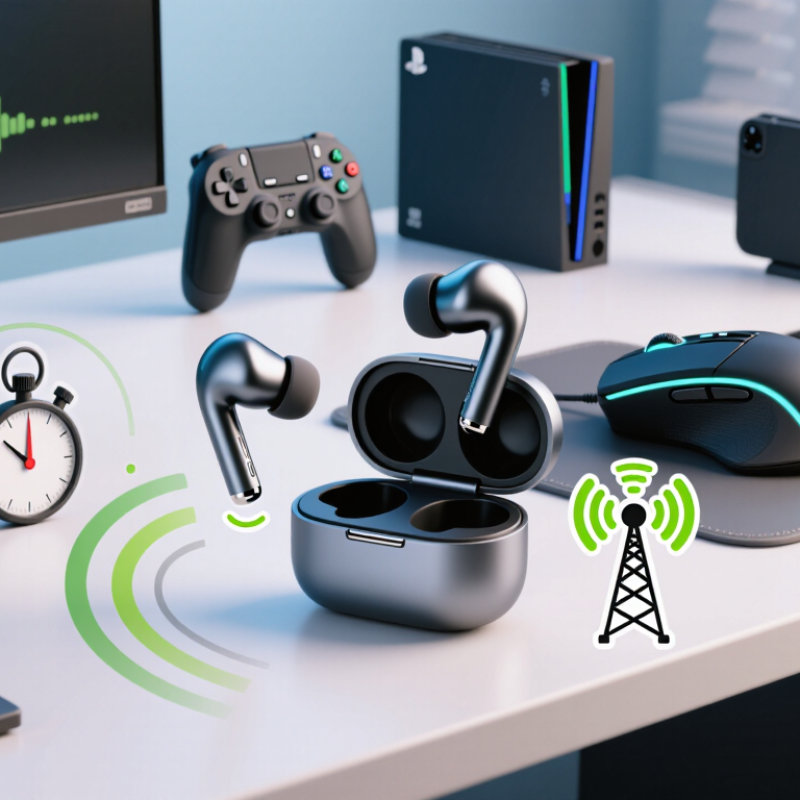
Begin with the device you actually use. A laptop may support Bluetooth, while a console may require a compatible wireless USB transmitter. Check the platform’s current audio settings before buying. Then match earbuds to your play style: fast multiplayer calls need a clear microphone and low audio delay; solo games may reward comfort and strong battery life. Tiny controls can be awkward mid-match.
The Entertainment Software Association’s 2024 Essential Facts report says 190.6 million Americans play video games at least one hour weekly. Newzoo’s 2024 Global Games Market Report estimates 3.42 billion players worldwide. These figures point to varied habits, not one ideal setup. Consider where you play, too: a quiet desk differs from a shared room with voices and keyboard clicks. Test fit for at least twenty minutes if possible. Pressure can build slowly. I would not judge comfort from a quick shop demo alone.
Tips: Confirm platform compatibility, microphone behavior, and whether audio works while charging. Compare stated battery life with your typical session, and leave a little margin. If possible, test voice chat with a friend; your own voice may sound fine to you, yet muffled to others. A good fit is personal. A little uncertain, even.
Compare Wireless Connections and Audio Latency
A wireless gaming earbud can sound impressive and still make a footstep arrive late. The key difference is the connection: standard Bluetooth is convenient, while a dedicated 2.4 GHz USB transmitter often reduces delay. But results vary with the earbuds, device, software, and distance. Test them in the game you actually play. A moving reticle and a sharp reload sound reveal timing problems faster than music does.
Check independent measurements, not just codec labels. The Bluetooth SIG specifies LC3 audio frame durations of 7.5 or 10 milliseconds; that figure describes codec framing, not total earbud latency. Processing and wireless transmission add more delay. ITU-R BT.1359-1 examines sound-and-picture timing and reports that people can detect audio lag at roughly 125 milliseconds. That broadcast benchmark is useful context, not a gaming pass mark: even shorter delays can make aiming feel slightly disconnected.
For a practical comparison, measure from an on-screen event to the sound, using the same phone or computer and volume settings. Try Bluetooth, then the supplied low-latency transmitter, if available. Keep the receiver close; a USB adapter hidden behind a metal desktop may perform worse. Watch for lip-sync drift and repeat the test after reconnecting. Small flaws matter. Battery-saving modes and crowded wireless spaces can change results, and one quick test may not catch it. (Sources: Bluetooth SIG, LE Audio and LC3 materials; ITU-R BT.1359-1.)
How to Choose the Best Wireless Gaming Earbuds — Compare Wireless Connections and Audio Latency
Compare connection options by responsiveness, compatibility, and convenience. Latency figures are approximate and can vary with the earbuds, source device, codec, software, and wireless conditions.
| Connection type | Typical audio latency | Compatibility | Gaming advantages | Things to consider | Best suited for |
|---|---|---|---|---|---|
| Standard Bluetooth audio | Often around 100–250 ms; results vary by device and codec. | Broad support across phones, tablets, computers, and some consoles. | Simple setup and no separate receiver to carry. | Audio may lag behind on-screen action. Codec support must match on both the earbuds and source. | Casual games, mobile play, and everyday listening. |
| Bluetooth low-latency mode or codec | Can be roughly 40–80 ms with a compatible source and earbuds; performance is not guaranteed. | Requires matching support at both ends. Some modes need a dedicated transmitter. | May reduce lip-sync delay and improve timing compared with standard Bluetooth. | Compatibility can be limited, and range or stability may depend on the specific implementation. | Players who want wireless convenience with reduced delay and can verify device support. |
| 2.4 GHz USB wireless receiver | Often designed for low latency; actual end-to-end delay depends on the product and setup. | Typically works with supported computers or consoles through USB; check platform support before buying. | A dedicated connection can provide more consistent, responsive audio for gaming. | Uses a USB port, and the receiver must be within range. Some mobile devices need an adapter. | Competitive play on a compatible PC or console. |
| Dual wireless: 2.4 GHz plus Bluetooth | Gaming audio uses the 2.4 GHz link; Bluetooth performance varies by codec and device. | Can connect to a gaming device and a Bluetooth device, depending on the model. | Useful for hearing game audio while staying connected to a phone for calls or notifications. | Simultaneous audio behavior, controls, and microphone routing differ between models. | Players who want gaming audio and phone connectivity at the same time. |
Buying tip: For fast-paced games, prioritize a dedicated low-latency gaming connection and confirm that it supports your platform. Treat advertised latency as a test-condition figure rather than a guaranteed end-to-end result.
Evaluate Sound Quality, Microphone Clarity, and Controls
How to Choose the Best Wireless Gaming Earbuds
Sound quality should reveal useful details, not just booming effects. In a busy match, listen for footsteps, reloads, and distant voices without letting bass swallow them. Try a familiar game at a moderate volume, then compare the sound with music or a video call. Wireless delay matters too: watch for a mismatch between a character’s action and the sound. Small details matter. Personal preference varies, so a dramatic sound profile is not automatically the clearest one.
Tips: Test the microphone in a quiet room, then with a fan running nearby. Record a short voice message and listen for muffled words, harsh “s” sounds, or background noise. Ask a teammate whether your speech stays clear during fast callouts. Check whether the earbuds let you adjust microphone sensitivity; noise reduction can sometimes make voices sound thin.
Controls should be easy to use without breaking focus. Try pausing audio, changing volume, and muting the microphone while wearing the earbuds. Test them twice. A touch surface may respond to accidental taps, while physical buttons can be harder to press with small earbuds. Check whether basic controls work without opening an app, and whether settings remain saved after reconnecting. I’d also test comfort during a longer session; a control that feels convenient at first may become irritating after an hour.
Check Fit, Comfort, Battery Life, and Durability
Fit changes everything. The earbud should stay seated during quick head turns, yet avoid pressure on the ear canal. A secure seal also helps maintain bass and reduces the urge to raise volume. Try different tip sizes, then wear each pair for at least an hour; a fit that feels fine at first can become tiring. Comfort is personal, and even a careful fit test cannot predict every long gaming session.
Battery claims need context. Compare stated playback time with your typical match length, and check whether voice chat or low-latency modes reduce runtime. Test the earbuds at your usual volume, with your usual settings. Keep an eye on the case, too; tiny indicator lights are easy to miss when you are rushing out.
The WHO-ITU safe-listening standard recommends no more than 80 dB for up to 40 hours weekly for adults. That is a useful reference, not a reason to game at maximum volume.
Durability matters when earbuds travel in pockets or face sweat during tense matches. IEC 60529 defines IPX4 protection as resistance to water splashes from any direction; it does not mean waterproof. Check how securely the case closes and whether the charging contacts are easy to wipe clean. Test them gently. A rating cannot tell you how well a loose hinge will hold up after months of daily use.
Compare Features and Price Before Choosing a Pair
How to Choose the Best Wireless Gaming Earbuds
Compare Features and Price Before Choosing a Pair
Price is only useful when compared with features you will actually use. ESA’s 2024 Essential Facts report estimates that 190.6 million Americans play video games weekly. Newzoo’s 2024 Global Games Market Report estimates 3.42 billion players worldwide. Those figures show gaming’s scale, but they do not tell you which earbuds suit your setup. Check compatibility first: a low-latency USB transmitter may work better for a console or PC than ordinary Bluetooth. On a phone, Bluetooth may be enough. Small details matter. Compare microphone clarity, ear-tip sizes, charging case capacity, and whether the controls are easy to use mid-match.
Make a simple price comparison that includes more than the checkout total. Note battery life with the gaming mode enabled, charging time, warranty, and the cost of replacement tips. A pair with a higher price may be worthwhile if its microphone stays clear during team chat. But don’t pay extra for features you will rarely use. Advertised battery life can differ from real use, especially with low-latency modes enabled. That’s easy to overlook. Read independent test results where available, and check whether testing covered your device type. I’d treat any single rating cautiously; fit and sound can vary from one listener to another. A short return window can help, though it is not a substitute for checking the specifications.
FAQS
Check your device’s current audio settings before buying. A laptop may support Bluetooth, while a console may need a compatible USB transmitter. Confirm whether audio works while charging. Easy to overlook.
Bluetooth is convenient, but a dedicated low-latency USB transmitter may reduce delay. Performance varies with the earbuds, device, software, and distance. Test both connections in your actual game.
Use the same device and volume settings for each connection. Compare an on-screen action, such as a reload, with its sound. Keep the receiver nearby. One quick test may miss problems.
Try to hear footsteps, reloads, and distant voices without heavy bass covering them. Compare a familiar game with music or a video call. A dramatic sound profile is not always clearer.
Record a short voice message in a quiet room, then try again with a fan running. Listen for muffled words, sharp “s” sounds, or background noise. Ask a teammate, too.
While wearing them, try changing volume, pausing audio, and muting the microphone. Check whether basic controls work without an app. Small earbuds can make tiny controls awkward.
Wear them for at least twenty minutes if possible. Pressure may build slowly, so a quick shop test can be misleading. Comfort is personal. I would test longer, if I could.
Compare stated battery life with your usual session, and leave some extra time. A quiet desk differs from a shared room with voices and keyboard clicks. Crowded wireless spaces may also affect results.
Conclusion
Choosing the best Wireless Gaming Earbuds starts with understanding your gaming platform and how you play. Check that the earbuds work with your console, computer, or mobile device, then compare wireless connection options and audio latency. A stable connection and minimal delay can help keep in-game sounds and on-screen action in sync. Consider sound quality for clear dialogue and useful audio cues, along with microphone clarity and easy-to-use controls for communication and adjustments during play.
Comfort and practicality matter just as much as performance. Look for a secure fit that stays comfortable during long sessions, battery life suited to your typical playtime, and durable construction for everyday use. Finally, compare features and prices across different options, focusing on what you will actually use rather than paying for extras you do not need. A thoughtful balance of compatibility, sound, comfort, and value will help you choose a pair that fits your gaming habits.

Blog Tags: